Digital Health Demo

Turn a digital-health idea into an experience people can understand.

JonWard Studios transforms a client-defined patient, clinician, administrative, or commercial workflow into a branded interactive browser experience. Teams use the Digital Health Demo to evaluate, explain, and present a proposed product before commissioning a larger development program.

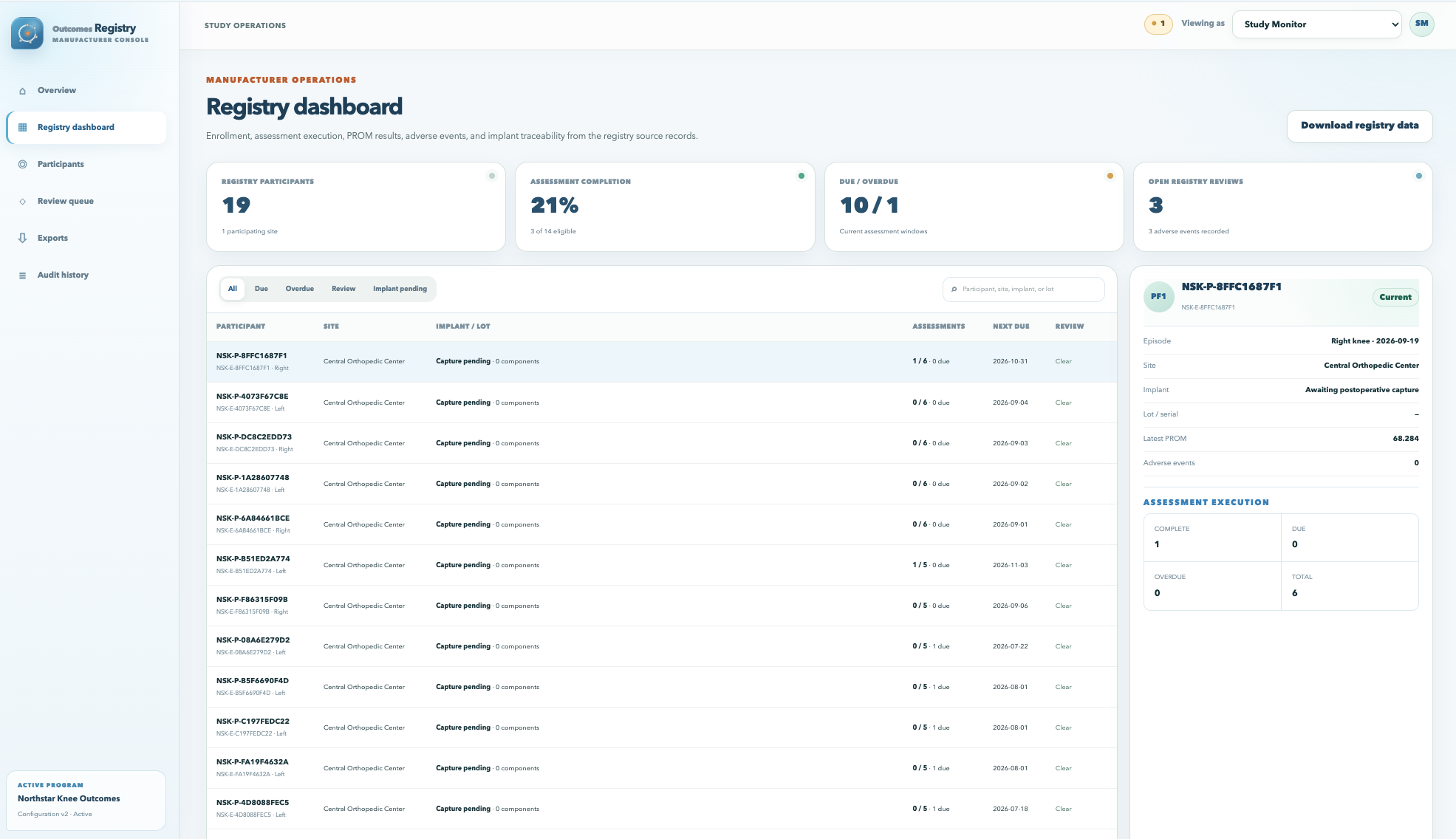
Outcomes Registry sponsor dashboard
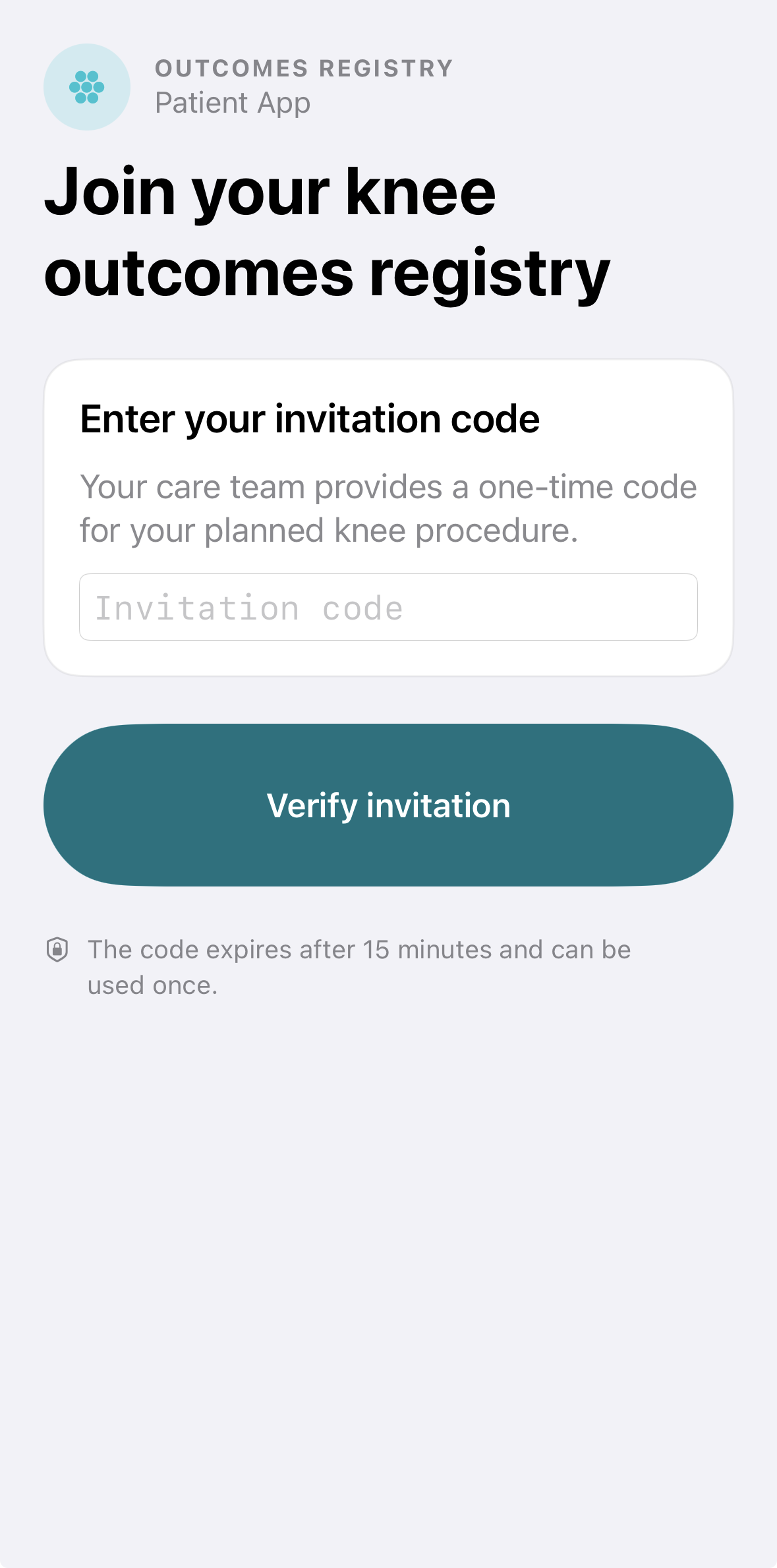
Outcomes Registry patient invitation screen
60–90 seconds

A concise guided story for a defined audience and decision.

6–9 screens

Each screen advances the central workflow question.

Desktop + mobile

Responsive layouts for presentations and direct exploration.

Interactive browser link

A guided sequence followed by open navigation.

Purpose

Make the proposed product clear before application development begins.

The client brings the product idea, intended users, workflow, business assumptions, approved language, and brand materials.

JonWard Studios turns those inputs into a synthetic scenario and guided experience that leadership, clinicians, commercial teams, investors, or prospective partners can see and discuss.

The result gives the team a concrete basis for the next product decision.

Examples

Two ways to make a digital-health workflow tangible.

Each example connects the users, actions, records, and decisions within one short interactive story.

Example 01 · MedTechOutcomes Registry app icon
Outcomes Registry: Knee

A guided digital PMCF study concept connecting the patient, clinical site, sponsor reviewer, and sponsor study lead through one synthetic journey.

Invite + consentImplant confirmationOutcomesHuman reviewExport
View the interactive example
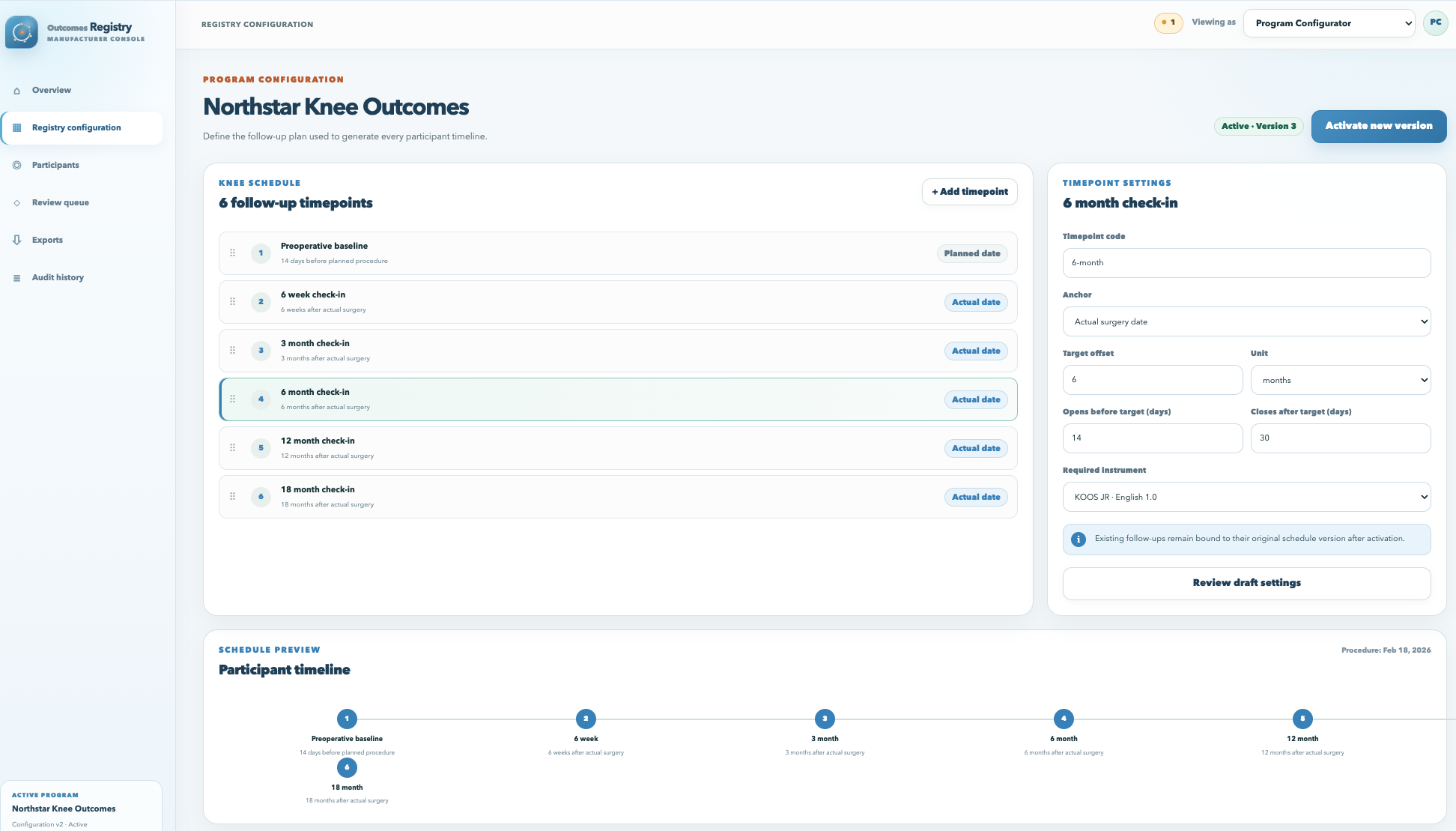
Outcomes Registry study configuration screen
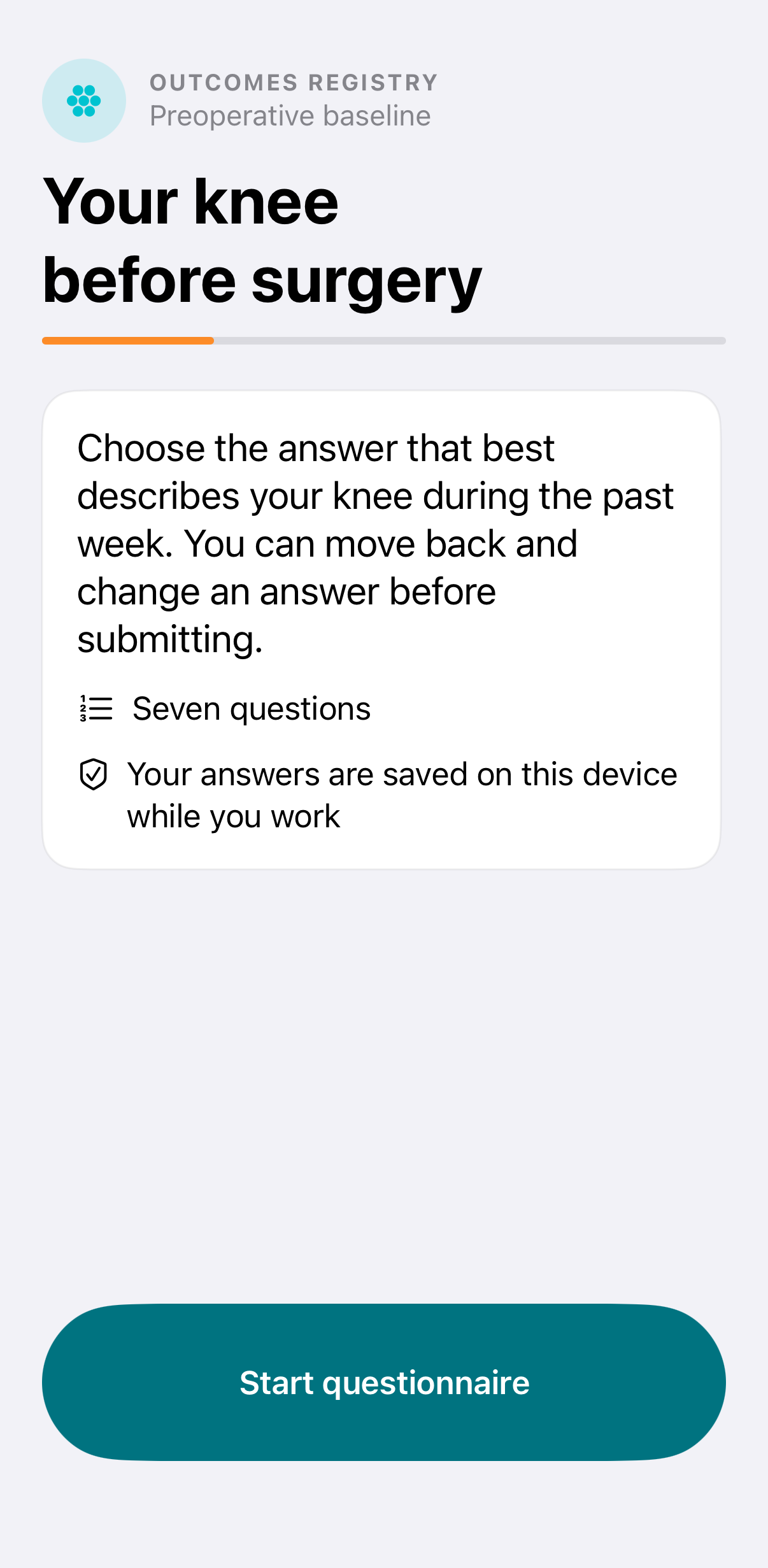
Outcomes Registry preoperative baseline screen
Fictional program · synthetic demonstration data
Example 02 · Pharmaceutical

Drug companion program

A representative patient and professional experience showing enrollment, treatment initiation, ongoing tracking, follow-up, and program oversight.

EnrollmentTreatment startDaily experienceFollow-upProgram view
PatientTreatment journeyEducation · routine · check-in
Program teamProgram oversightStatus · review · follow-up
Representative workflow · client-defined content and assumptions

Process

From a defined idea to a guided interactive experience.

Each engagement centers on one audience, one workflow question, and one decision.

01

Define the audience and decision.

Identify who will view the experience, what they need to understand, and the discussion or decision the demo should prompt.

02

Collect the workflow and approved inputs.

Gather the proposed product, roles, workflow, assumptions, approved language, brand materials, and available source material.

03

Create the story and screens.

Build one synthetic scenario, a 60-to-90-second guided sequence, and six to nine responsive interactive screens.

04

Review the experience and share.

Review workflow accuracy, language, brand treatment, interactions, disclosures, and the first-screen experience before owner-approved hosting.

Service boundaryDigital Health Demo explains the proposed product. Prototype evaluates the primary workflow on the intended device. MVP gives selected users the essential application functions.

Start with the decision

Give the team an experience they can see, use, and discuss.

Bring the proposed audience, workflow, and current decision point. JonWard Studios will define the demonstration scope.

Discuss a demo